, exam pattern, and step-by-step registration guide..avif)
Download Gyan Bharat App
Download


7/7/2026
JNVST ADMISSION 2027–28
Complete guide to registration, student details, document upload, form review and final submission.
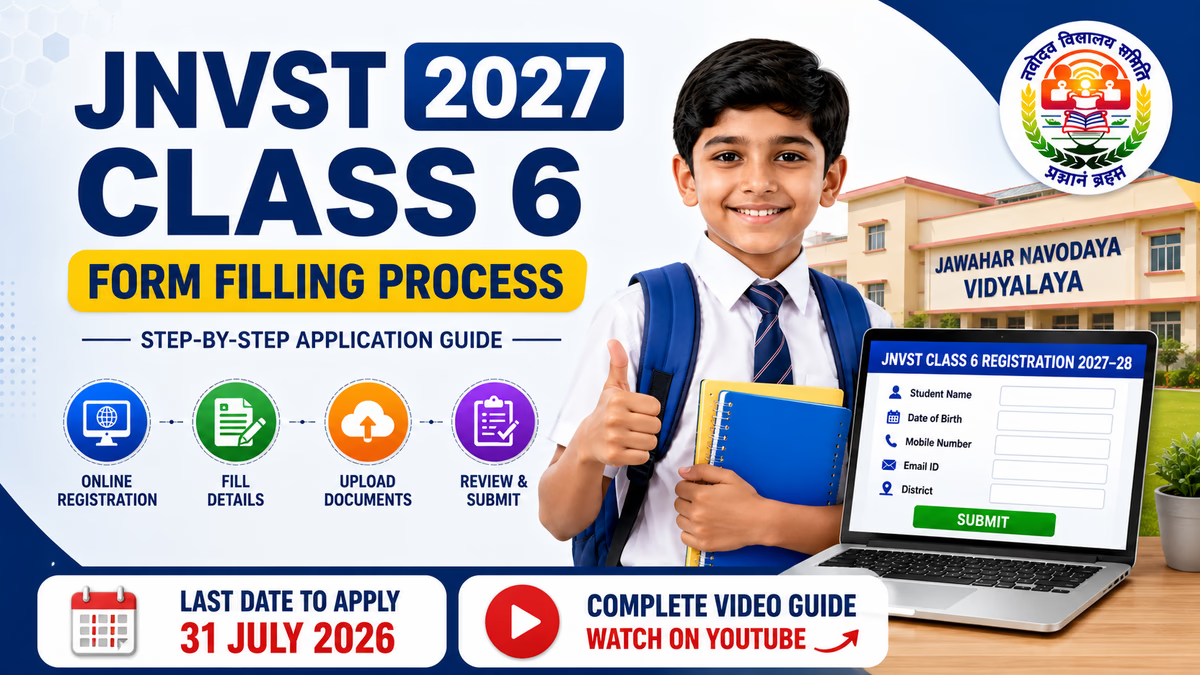
The JNVST 2027 Class 6 Form Filling Process is an important step for parents who want to apply for admission to Jawahar Navodaya Vidyalaya. The Jawahar Navodaya Vidyalaya Selection Test (JNVST) is used for Class 6 admission to Jawahar Navodaya Vidyalayas.
The JNVST Class 6 Application Form 2027 should be completed carefully. Incorrect candidate details, school information or unclear document uploads may create difficulties during verification. This guide explains the online application process step by step.
Important Notice
Read the latest official NVS prospectus and admission instructions before submitting the application. Dates, eligibility conditions, document requirements and portal instructions should always be checked on the official Navodaya website.
| Particular | Details |
|---|---|
| Exam Name | Jawahar Navodaya Vidyalaya Selection Test |
| Short Name | JNVST 2027 |
| Admission Class | Class 6 |
| Academic Session | 2027–28 |
| Application Mode | Online |
| Registration Last Date | 31 July 2026 |
| Official Website | navodaya.gov.in |
STEP 1
Start the application process by visiting the official Navodaya Vidyalaya Samiti website. Parents should always use the official NVS website and avoid unknown registration portals.
STEP 2
Open the Class VI registration page and read the available application instructions carefully. Check the latest prospectus, eligibility conditions and admission requirements before starting registration.
STEP 3
Enter the student's name, date of birth, gender and other personal information requested in the application form. Candidate details should match official and school records. Check the spelling of the student's name before proceeding.
STEP 4
Provide the required parent or guardian information. Enter an active mobile number and carefully verify the contact details. Correct contact information may be important for admission-related communication.
STEP 5
Enter the candidate's school and academic information as requested in the online form. School details should match the available records and supporting documents.
STEP 6
Select the applicable category, residence and other admission-related options carefully. Candidates claiming an applicable admission benefit should keep valid supporting documents ready according to official instructions.
STEP 7
Keep the required documents and files ready before starting the application. The exact upload requirements should be checked in the latest official registration instructions.
| Document | Check Before Upload |
|---|---|
| Candidate Photograph | Use a clear and recent image |
| Required Certificate or Form | Scan the complete document clearly |
| School Information | Details should match school records |
| Category Certificate | Keep ready if applicable and required |
Upload clear and readable files according to the format prescribed by the official portal.
STEP 8
Check the student's name, date of birth, parent details, mobile number, school information, category selection and uploaded documents before final submission.
STEP 9
After checking all details, submit the JNVST Class 6 Application Form 2027. Avoid repeatedly refreshing the page or closing the browser while the portal is processing the application.
STEP 10
After successful submission, save the registration or confirmation details. Keep a digital copy for future admission-related reference.
VIDEO TUTORIAL
Watch our complete step-by-step video guide to understand the Class 6 application process.
| Important Link | Action |
|---|---|
| NVS Official Website | VISIT WEBSITE |
| JNVST Class 6 Registration | APPLY ONLINE |
| Prospectus and Registration Information | CHECK DETAILS |
| JNVST Form Filling Video |
The JNVST registration portal may experience increased traffic as the closing date approaches. Parents should avoid waiting until the final day. Completing the application early provides additional time to check student information and prepare a clearer document scan if required.
Deadline Reminder: 31 July 2026
Candidates should verify the latest registration date and admission notice through the official NVS portal before submitting the application.
The JNVST 2027 Class 6 Form Filling Process becomes easier when parents prepare the required information and documents in advance. Candidate details, school information and uploaded files should be checked carefully before final submission.
Parents should avoid waiting until the last date to complete the JNVST Class 6 Application Form 2027. Use the official Navodaya portal for the latest instructions and watch our complete step-by-step video guide for additional help.
Need Help Filling the JNVST Form?
Watch the complete application process before submitting your form.
Visit the official NVS admission portal, open the Class 6 registration page, enter the required details, upload the prescribed files, review the application and complete final submission.
The registration closing date mentioned for the 2027–28 admission cycle is 31 July 2026. Verify the latest official notice before applying.
Yes. The Class 6 admission registration process is available through the designated online JNVST registration portal.
Candidates may need personal information, parent or guardian details, contact information, school details and other admission-related information requested by the portal.
The exact document requirements should be checked in the latest official prospectus. Keep the prescribed photographs, certificates and school-related information ready.
Candidates should avoid waiting until the final day because portal traffic, internet issues or document problems may delay the application process.
Check the candidate's name, date of birth, mobile number, parent details, school information, category selection and uploaded files.
Yes. Save the registration or confirmation information after successful submission for future admission-related reference.
Watch our
for the complete application process.Candidates and parents should check the official Navodaya Vidyalaya Samiti website and the designated registration portal for the latest admission instructions and notices.